
Polling vs Server-Sent Events (SSE) in WordPress & PHP Websites
Modern web applications increasingly demand real-time or near real-time updates—whether it’s live notifications, dashboard updates, chat systems, or AI-driven UI changes. In WordPress and PHP-based websites, two common approaches to achieve this are Polling and Server-Sent Events (SSE).
While both solve similar problems, they differ significantly in performance, scalability, complexity, and infrastructure requirements.
This article breaks down how Polling and SSE work, compares them in the context of WordPress/PHP, and helps you decide when to use what.
What Is Polling?
Polling is the simplest and most widely used approach for fetching updates from the server.
In polling, the browser periodically sends requests (for example, every 5 seconds) to check whether new data is available.
How Polling Works
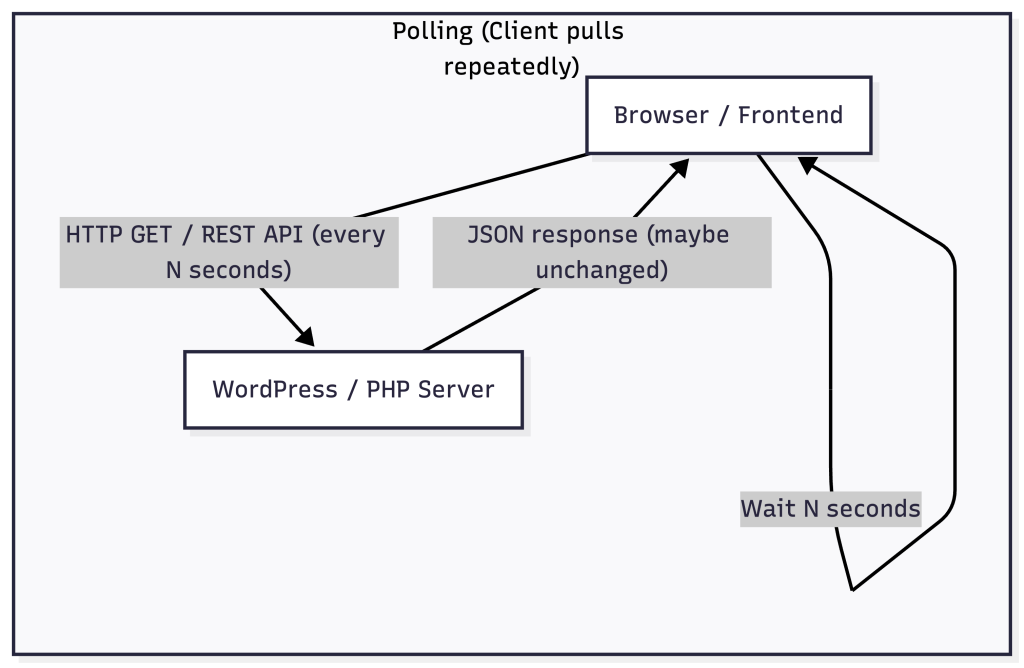
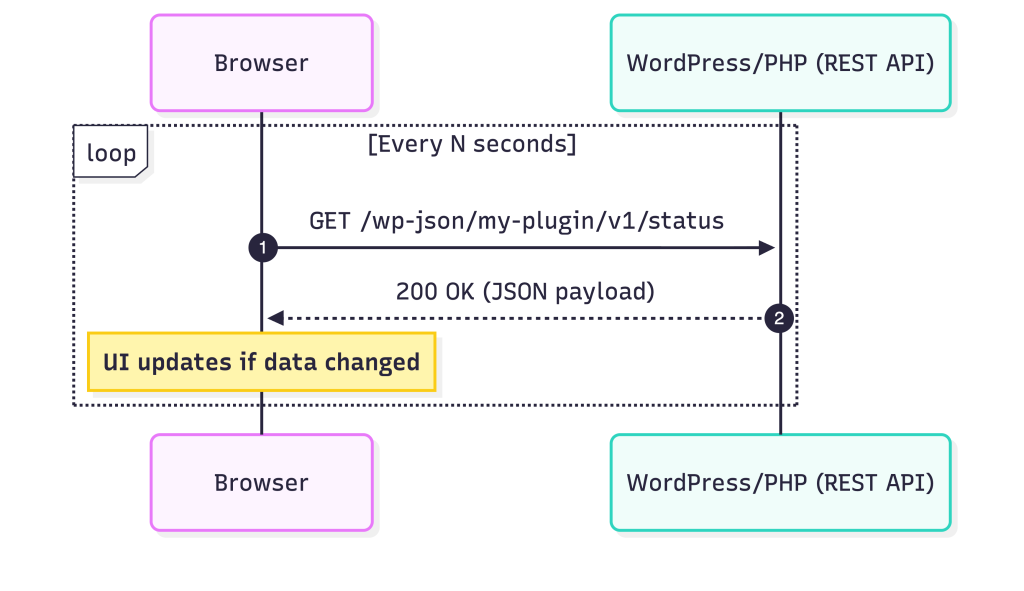
- Browser sends an HTTP request to the server
- Server processes the request and returns data
- Browser waits for a fixed interval
- Browser repeats the request again
This cycle continues regardless of whether new data exists.
Typical Polling Example (WordPress + PHP)
JavaScript
setInterval(() => {
    fetch('/wp-json/my-plugin/v1/status')
        .then(res => res.json())
        .then(data => {
            console.log(data);
        });
}, 5000);
WordPress REST API Endpoint
register_rest_route('my-plugin/v1', '/status', [
    'methods'  => 'GET',
    'callback' => function () {
        return [
            'status' => 'ok',
            'time'   => current_time('mysql'),
        ];
    }
]);
Advantages of Polling
- Easy to implement
- Works on all WordPress hosting platforms
- No special server configuration required
- Predictable behavior
Disadvantages of Polling
- Unnecessary requests when no data changes
- Increased server load at scale
- Latency depends on polling interval
- Inefficient for real-time UX
What Is Server-Sent Events (SSE)?
Server-Sent Events (SSE) allow the server to push updates to the client over a single, long-lived HTTP connection.
Instead of repeatedly asking the server for updates, the browser listens, and the server sends messages only when something changes.
How SSE Works
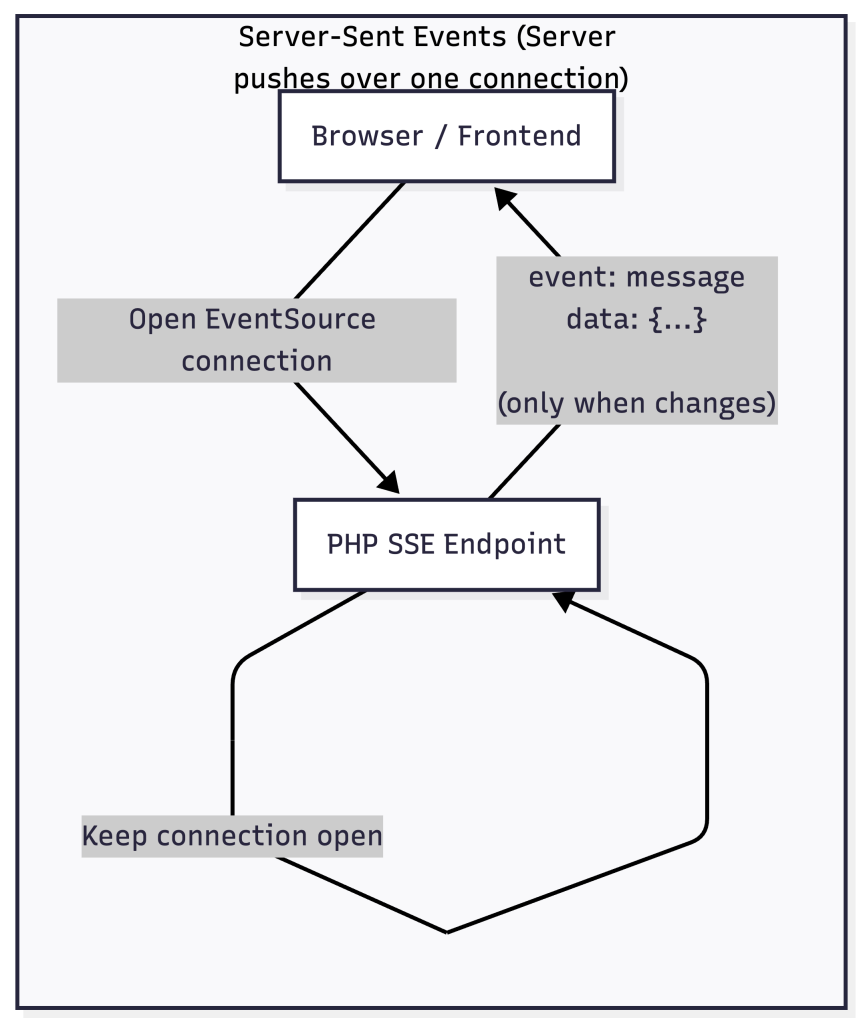
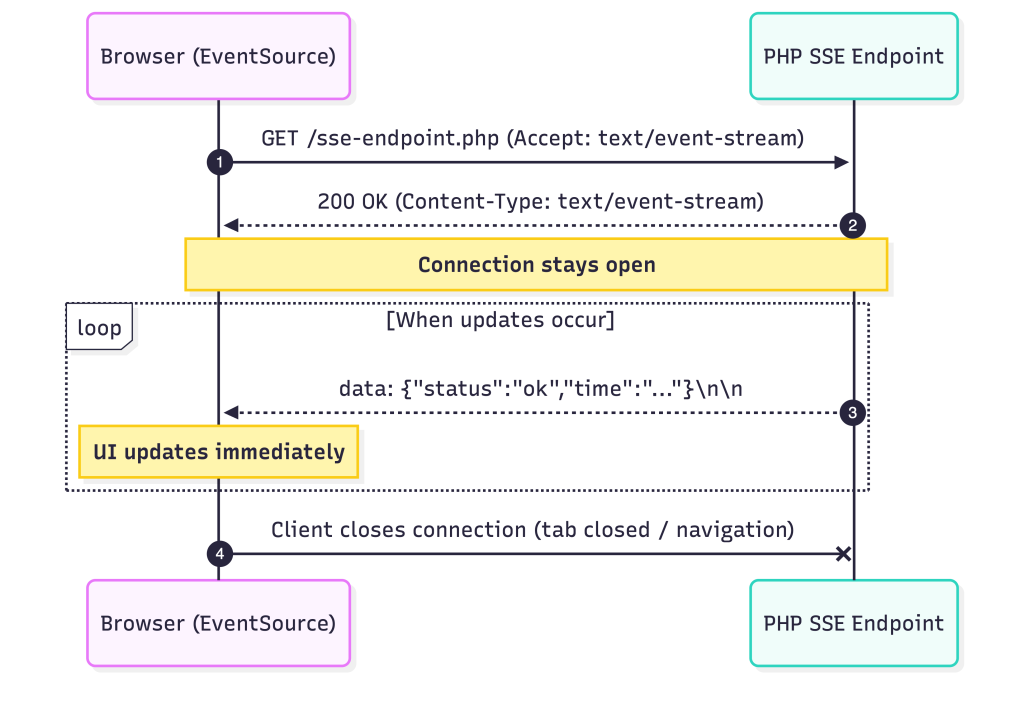
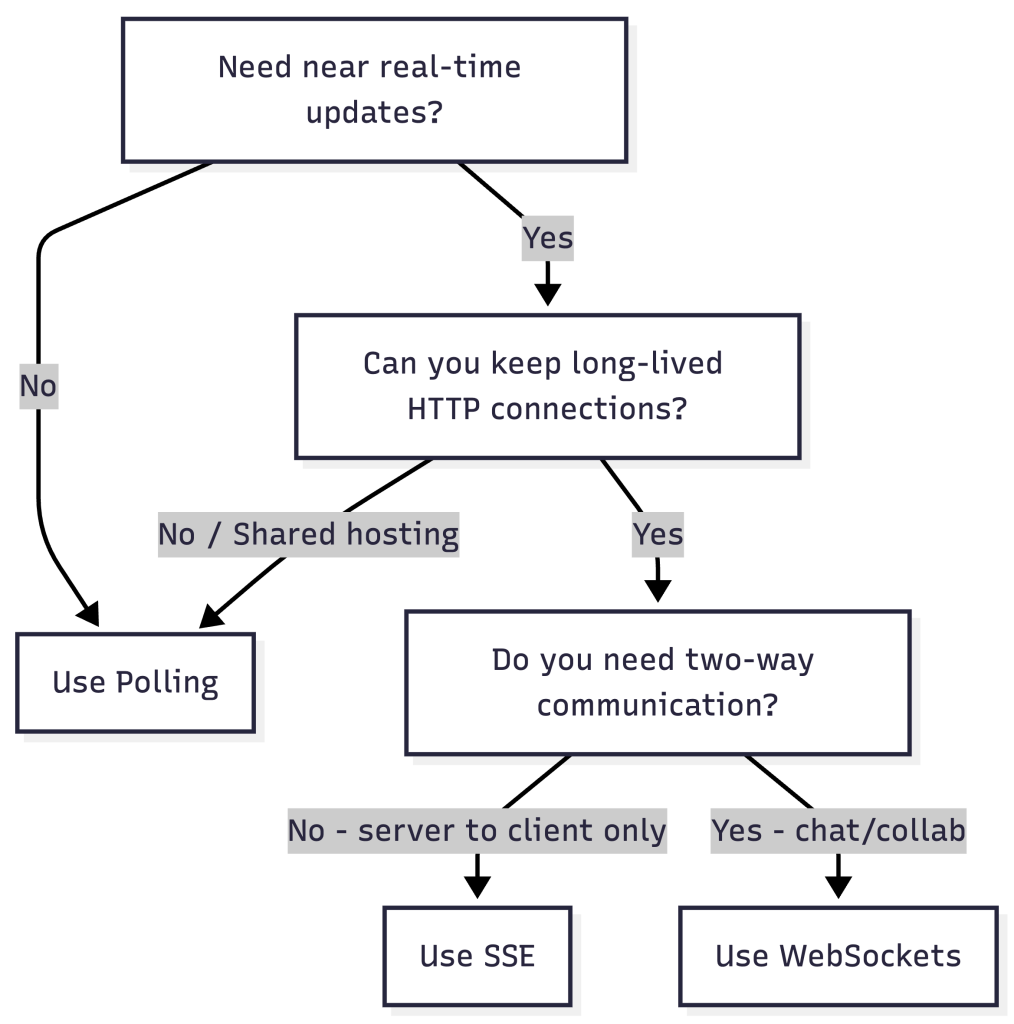
- Browser opens a persistent connection using
EventSource - Server keeps the connection open
- Server sends updates as events
- Browser receives updates instantly
SSE Client Example
const source = new EventSource('/sse-endpoint.php');

source.onmessage = (event) => {
    const data = JSON.parse(event.data);
    console.log(data);
};
SSE Server Example (PHP)
header('Content-Type: text/event-stream');
header('Cache-Control: no-cache');
header('Connection: keep-alive');

while (true) {
    echo "data: " . json_encode([
        'time' => date('H:i:s'),
    ]) . "\n\n";

    ob_flush();
    flush();
    sleep(5);
}
Polling vs SSE: Key Differences
| Aspect | Polling | Server-Sent Events (SSE) |
|---|---|---|
| Communication | Client → Server (repeated) | Server → Client (push) |
| Latency | Interval-based | Near real-time |
| Server Load | High at scale | Lower per update |
| Complexity | Low | Medium |
| Scalability | Poor with many users | Better, but connection-heavy |
| Hosting Support | Universal | Limited |
| Direction | Request/Response | One-way stream |
Polling in WordPress: When It Makes Sense
Polling is often the default choice in WordPress ecosystems due to hosting limitations and PHP execution constraints.
Good Use Cases
- Admin dashboards
- Background status checks
- Low-frequency updates (30–60 seconds)
- Shared hosting or WordPress VIP environments
- Proof-of-concept demos
Polling Optimization Tips
- Increase polling intervals where possible
- Pause polling when the tab is inactive
- Use timestamps or hashes to avoid unnecessary data
- Avoid polling static or rarely changing content
SSE in WordPress & PHP: When to Use It
SSE is ideal when real-time updates significantly improve UX and you control the server environment.
Ideal Use Cases
- Live notifications
- Streaming logs or progress updates
- AI-driven frontend updates
- Long-running background jobs
- Real-time dashboards
Challenges with SSE in WordPress
- PHP execution time limits
- Persistent connections consume PHP workers
- Not supported well on shared hosting
- Requires disabling output buffering and caching
- Needs careful reverse-proxy configuration
Polling vs SSE in Real-World WordPress Projects
Example: Adaptive Frontend Content
Polling-based approach
- Frontend polls periodically
- Backend checks DB or external APIs
- Simple and reliable
- Slower UI updates
SSE-based approach
- Frontend subscribes to updates
- Backend pushes changes instantly
- Faster and more dynamic UX
- Higher server responsibility
In many enterprise WordPress projects, teams start with polling and later migrate to SSE or WebSockets as infrastructure matures.